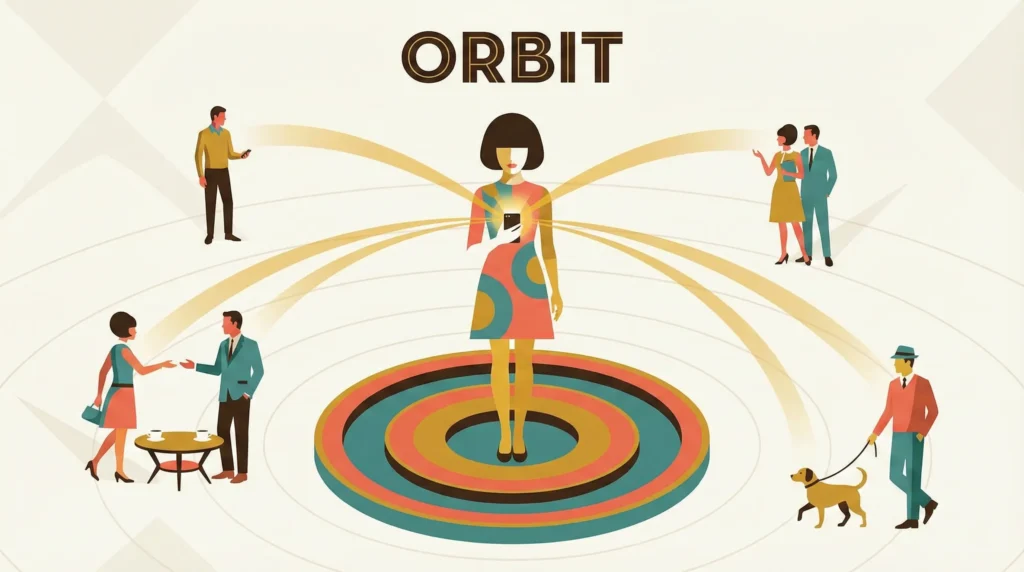

The Social Health & Relationship Manager
This POC project, currently Work in Progress.
Project
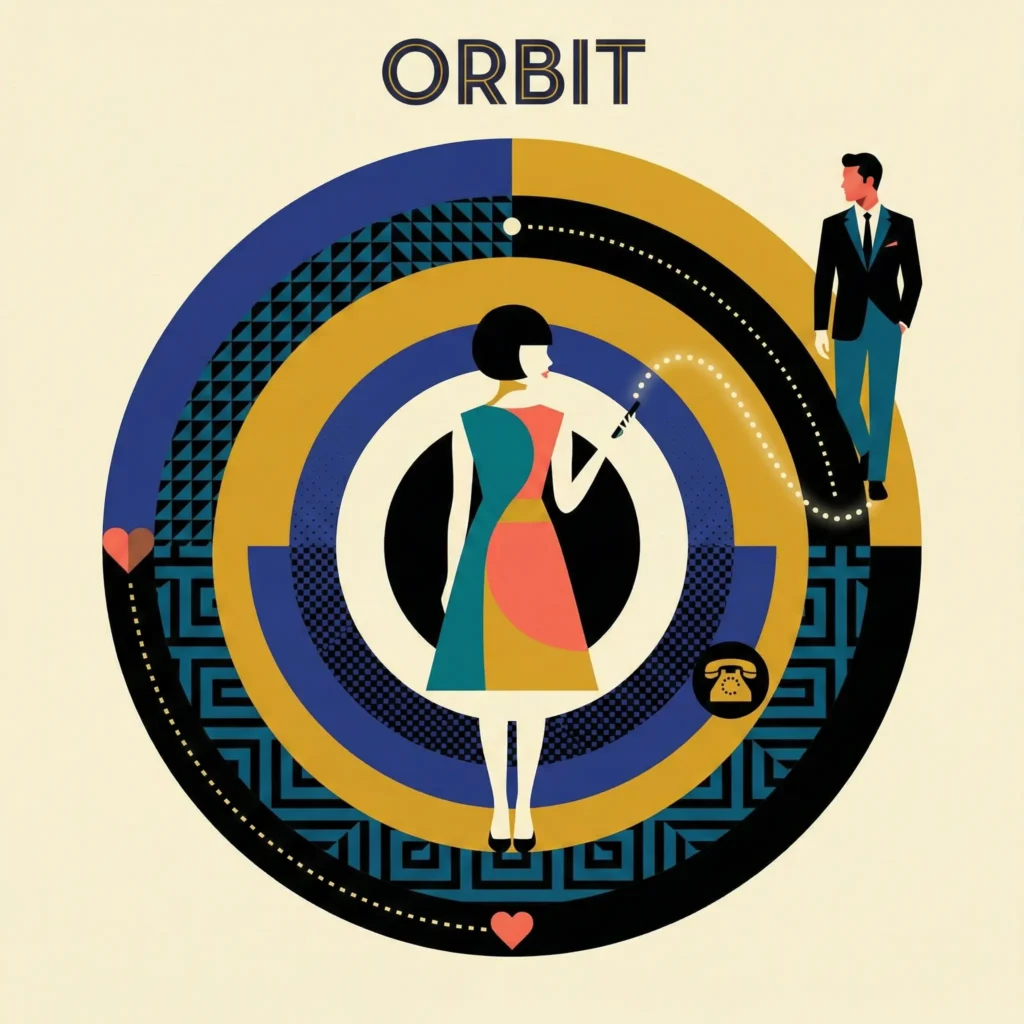
Orbit
ROLE
Lead Product Designer
& Founder (Solo MVP)
Duration, Stage
4 Weeks
(Discovery to MVP Prototype)
Status: In Development
Tools: Figma, AI-Assisted Coding (Vibe Coding)
- Executive Summary (The Hook)
- Discovery & Research (The Problem)
- The Pivot (The Strategic Twist)
- UX Strategy & System Thinking (The Solar System Model)
- Personas (The User)
- Mobile Workflows & Solutions (The ‘Serendipity Nudge’)
- Visual Design Direction (Warmth vs. Data)
- Ethical Design & Privacy Framework (Privacy First)
- Fail States & Anti-patterns (The Builder’s Mindset)
- Outcomes & Learnings (The ‘Work-in-Progress’ Conclusion)
- Retrospective & Future Roadmap
1. Executive Summary
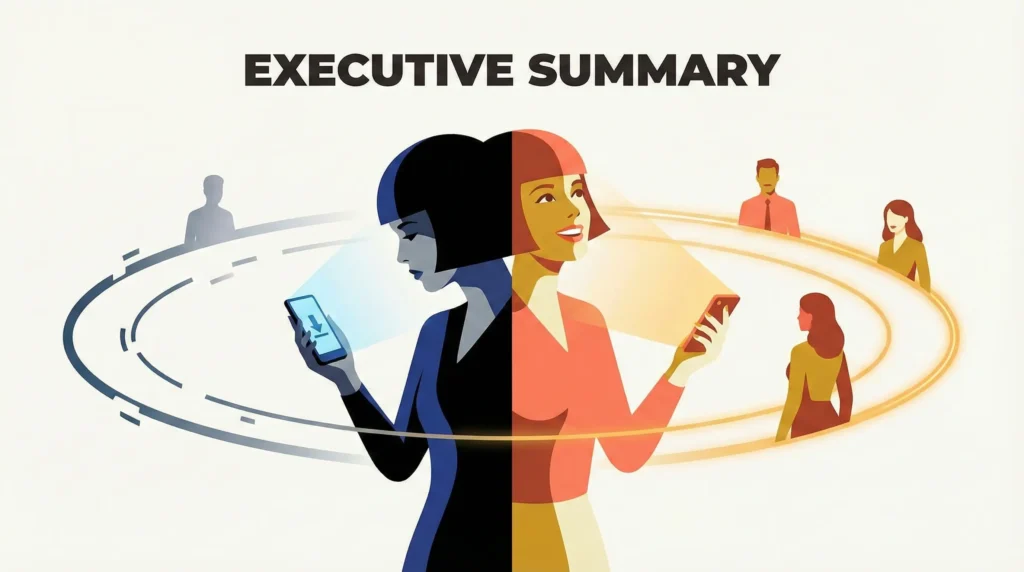
The Challenge: As we age, ‘Social Atrophy’ sets in. Friendships rarely end due to conflict; they starve due to logistical friction. We rely on ‘Passive Social Media’ (likes/views) which research suggests increases loneliness, rather than ‘Active Outreach’ (calls/visits).
The Solution: Orbit is a ‘Relationship CRM’ designed to reduce the cognitive load of friendship. Unlike professional CRMs, it prioritizes warmth over efficiency. It maps your ‘Inner Circle,’ ‘Core Friends,’ and ‘Extended Network,’ using behavioral nudges to turn social obligations into serendipitous moments.
The Twist (Pivot): The project began as a strict ‘Social Calendar’ but pivoted to a ‘Serendipity Engine’ after user testing revealed that scheduling friends like business meetings caused anxiety and guilt.
2. Discovery & Research
The “Loneliness Epidemic” & Market Void
I analyzed the current landscape of social tools to understand why we feel disconnected despite being hyper-connected.
- Social Media (Instagram/Facebook): High engagement, low intimacy. Optimized for broadcasting, not connecting.
- Messaging Apps (WhatsApp/iMessage): High utility, high noise. Chats get buried; ‘out of sight, out of mind.’
- Professional CRMs (Salesforce/Notion templates): High utility, zero warmth. Treating friends like “leads” feels sociopathic.
User Interviews & Behavioral Insights
I conducted qualitative interviews with 8 users (ages 30–45) to understand their friction points.
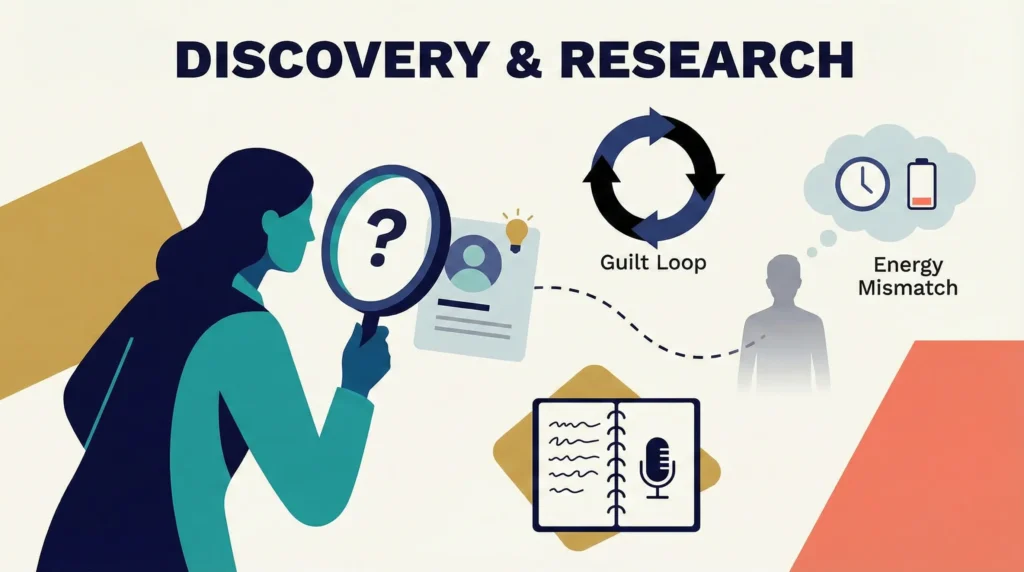
Key Insight 1: The Guilt Loop
‘I realize I haven’t called my best friend in 3 months. I feel guilty, so I put off calling them until I have ‘enough time’ to explain. The delay grows, the guilt grows, and I never call.’
Key Insight 2: The Energy Mismatch
‘I want to hang out, but planning requires 5 texts back and forth. I don’t have the mental energy for the logistics, even if I have the energy for the hang-out.’
3. The Pivot: From ‘Manager’ to ‘Engine’
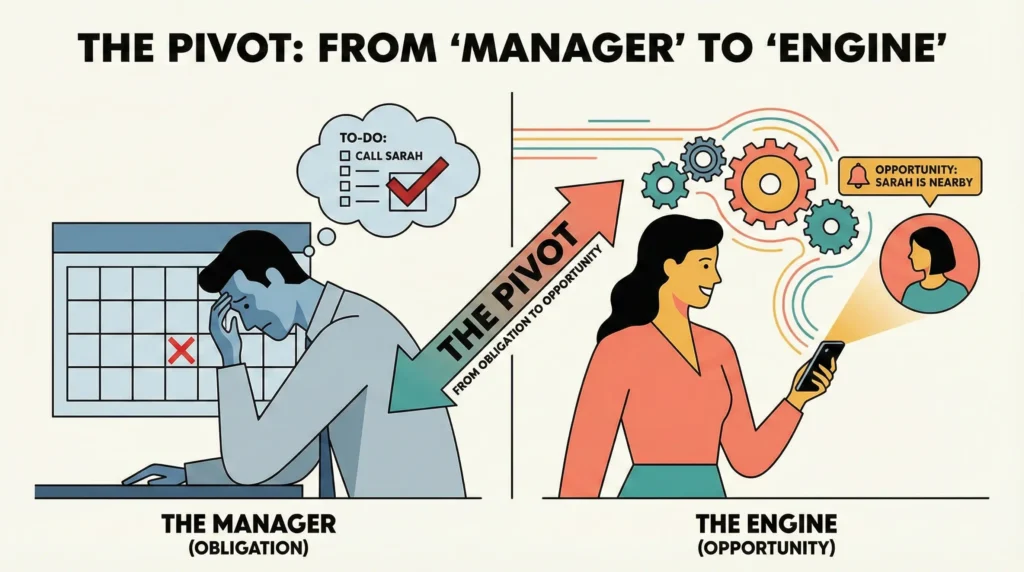
This is the core narrative arc of the case study, demonstrating strategic thinking.
Phase 1: The ‘Social Calendar’ (Failed Hypothesis)
- Concept: A rigid schedule. ‘Call Mom every Sunday,’ ‘Dinner with Mark every 3rd Friday.’
- Testing Outcome: Users felt oppressed by notifications. Missing a ‘Friend Date’ felt like failing a KPI. The app became another ‘To-Do List’ source of stress.
- Design Debt: The interface looked clinical, too many checkboxes and red “overdue” badges.
Phase 2: The ‘Serendipity Engine’ (The Solution)
- Concept: Instead of obligations, the system looks for opportunities.
- The Shift:
- From: ‘You are late calling Sarah.’
- To: ‘You have a 20-minute drive coming up. Sarah is usually free right now. Want to catch up?’
- Behavioral Economics: Moving from Negative Reinforcement (avoiding guilt) to Positive Opportunity (low-friction connection).
4. UX Strategy & System Thinking
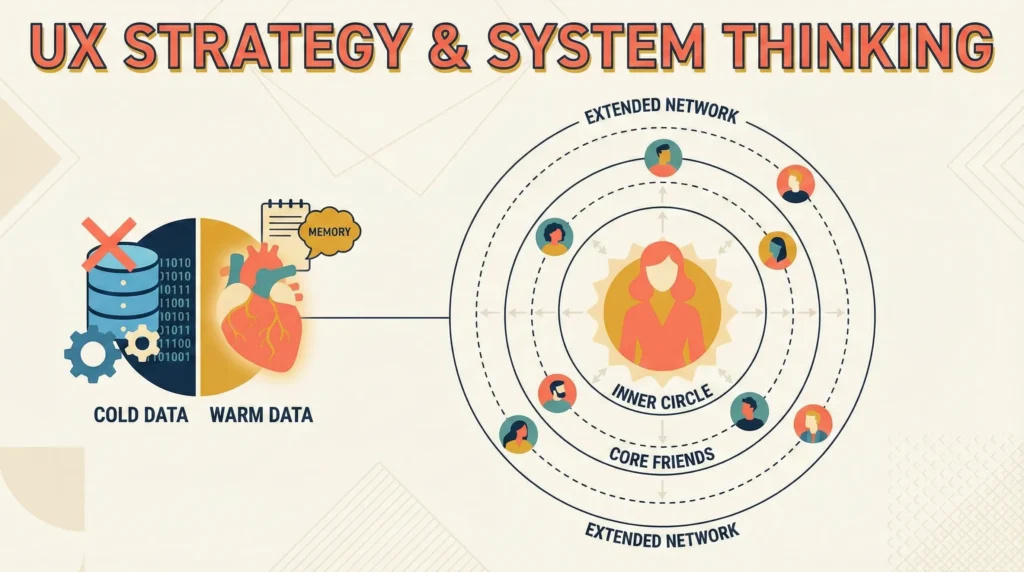
The ‘Orbit’ Model (Information Architecture)
To avoid the ‘Creepy Database’ feel, I visualized the network as a solar system, not a spreadsheet.
- The Sun (User): You are at the center.
- Orbit 1 (Inner Circle – Daily/Weekly): Partner, best friends, immediate family. (High frequency, low friction).
- Orbit 2 (Core Friends – Monthly): The friends you’d call for advice but don’t see daily.
- Orbit 3 (Extended Network – Quarterly/Yearly): Old college friends, distant cousins. (Requires ‘Re-connection’ context).
Tackling the ‘Creepiness Factor’
How do we store data about friends without feeling like a spy?
- Strategy: ‘Warm Data’ vs. ‘Cold Data.’
- Cold Data (Avoid): Net worth, last login, exact tracking.
- Warm Data (Emphasize): ‘Love language,’ ‘Current struggle (e.g., looking for a job),’ ‘Shared nostalgia.’
- The ‘Memory Locker’: A feature to jot down small things (e.g., “She mentioned she loves Earl Grey tea”) solely to surprise them later.
5. Personas
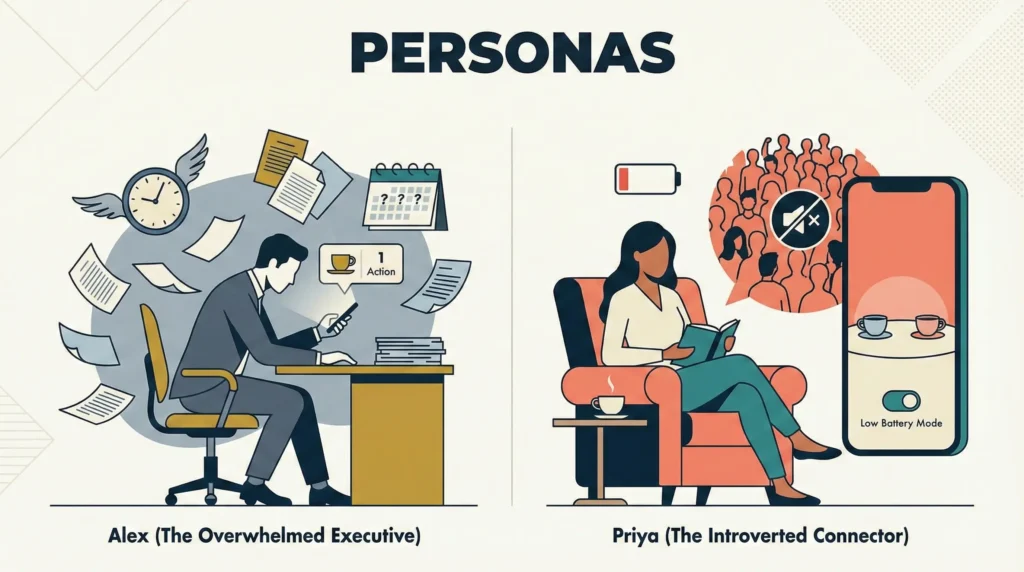
Persona A: The Overwhelmed Executive (Alex, 36)
- Pain Point: Loves his friends but is drowning in work. Forgets birthdays until Facebook reminds him.
- Goal: Wants to maintain relationships without the mental load of planning.
- Use Case: Checks Orbit during his morning coffee to see one achievable social action for the day.
Persona B: The Introverted Connector (Priya, 32)
- Pain Point: Gets drained by large social gatherings but craves deep 1-on-1 connection. Finds the ‘scheduling ping-pong’ of setting up dates exhausting.
- Goal: Wants meaningful interactions that feel organic, not forced.
- Use Case: Uses the ‘Low Battery Mode’ feature to find friends who are okay with low-energy hangouts (e.g., co-working in silence).
6. Mobile Workflows & Solutions
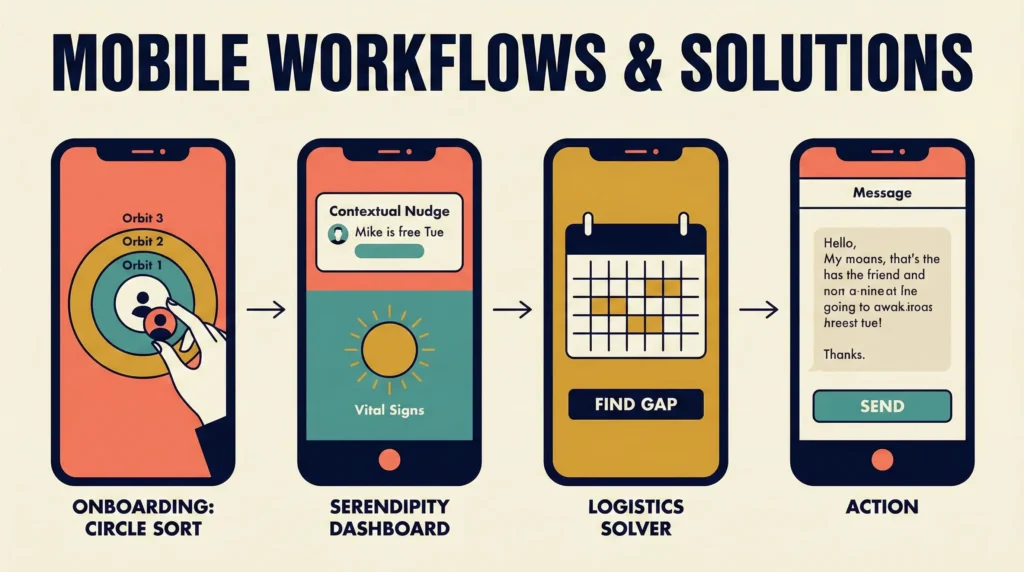
A. Onboarding: The ‘Circle Sort’
- Flow: Import contacts -> Physics-based UI where contacts float.
- Action: Drag and drop contacts into Orbit 1, 2, or 3.
- Micro-interaction: The closer to the center, the ‘heavier’ the gravity (visual feedback), implying stronger connection needs.
B. The ‘Serendipity Dashboard’ (Home Screen)
Instead of a list, the home screen answers: ‘Who needs me, and do I have the capacity?‘
- Widget 1: The Contextual Nudge.
- Copy: ‘It’s been 4 weeks since you spoke to Mike. You’re both free this Tuesday evening.’
- Action: One-tap ‘Suggest Hangout’ (Drafts a text: “Hey! Orbit tells me I’ve been a bad friend. Free Tuesday?”).
- Widget 2: Vital Signs.
- Visualizes the health of your Inner Circle using soft gradients. If colors are fading, it means the connection is cooling.
C. The ‘Logistics Solver’
- Problem: The “When are you free?” text spiral.
- Solution:
- User selects a friend.
- User selects ‘Find Gap.’
- App scans local calendar (and friend’s if shared/public) to present 3 specific slots.
- Copy generated: “Hey! Are you free for coffee next Tuesday at 10 AM or Thursday at 4 PM?”
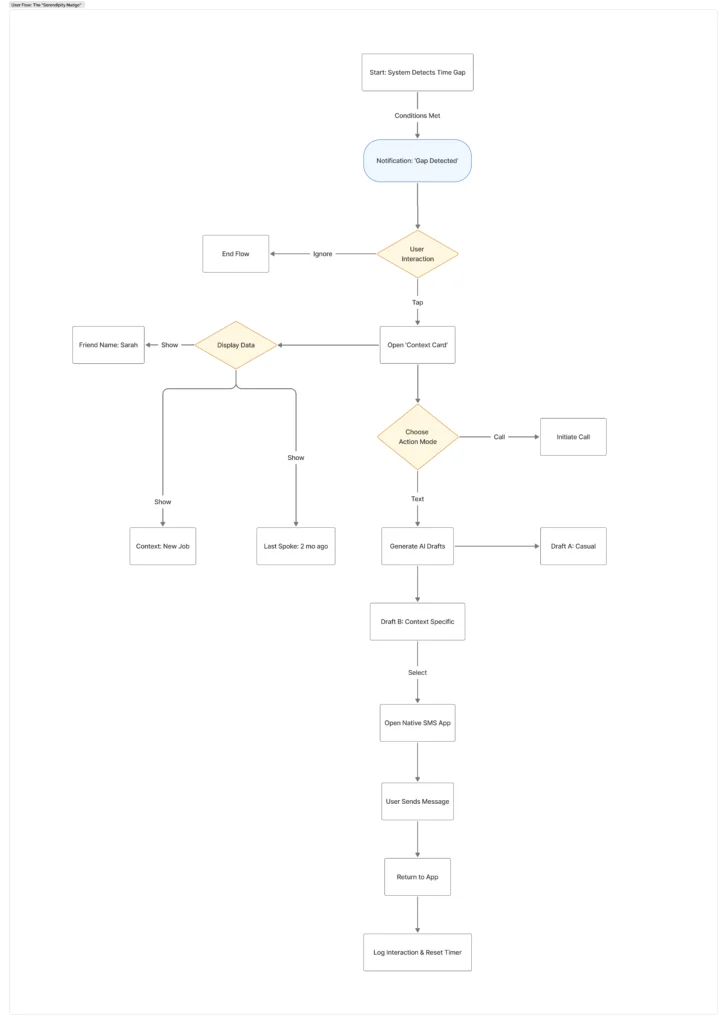
6.1 User Flow: The ‘Serendipity Nudge’
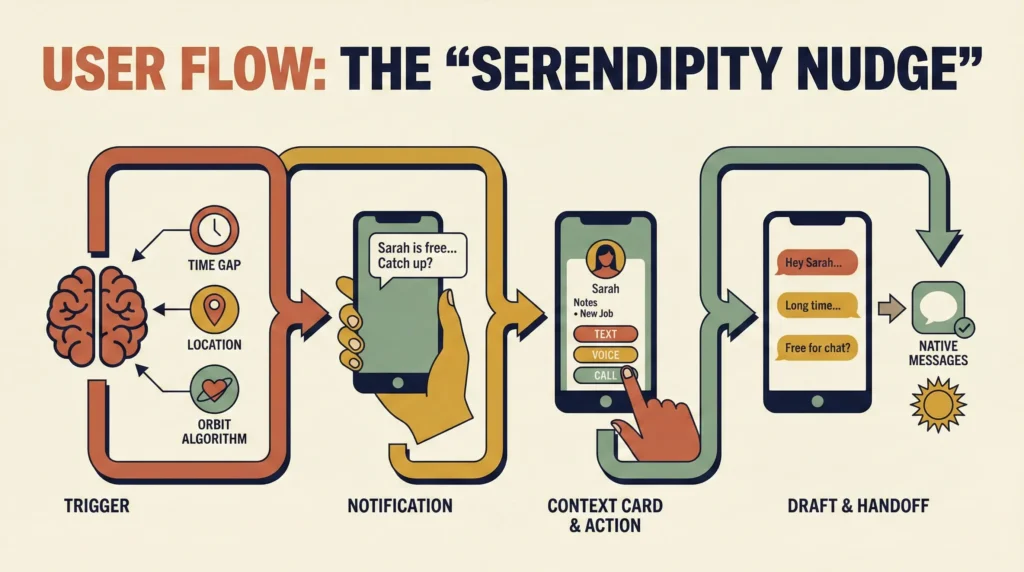
Scenario: The user (Alex) has finished a meeting early. He has a 45-minute gap before his next commitment. He is currently at a coffee shop.
a. The Trigger (System Logic)
- Input A (Calendar): System detects a ‘Free Block’ > 30 mins between current time and next event.
- Input B (Location): System detects user is ‘Stationary’ (not driving).
- Input C (Orbit Algorithm): Sorts ‘Inner Circle’ by
Last_Interaction_Date. Identifies ‘Sarah’ (Score: High Debt). - Output: Generates a ‘Contextual Opportunity’ card.
b. The Flow Steps
Step 1: The Passive Notification (Lock Screen)
- UI: A gentle, non-urgent notification.
- Copy: ‘You have 45 mins free. Sarah is usually active right now. Want to catch up?‘
- User Action: Taps notification.
Step 2: The ‘Context Card’ (App View)
- UI: A card takes focus. It doesn’t just show a name; it shows reasoning to reduce cognitive load.
- Data Displayed:
- Name: Sarah
- Status: ‘Last spoke: 2 months ago.’
- Memory Hook: ‘Note: She started a new job last week.’ (Pulled from your ‘Warm Data’ notes).
- User Action: Taps ‘Reach Out.’ (Or ‘Snooze’ / ‘Not Today’).
Step 3: The Friction Reducer (Action Sheet)
- Problem: Alex wants to reach out but doesn’t know what to say.
- UI: Three distinct ‘Effort Levels.’
- Low Effort (Text): ‘Send “Thinking of you” text.’
- Medium Effort (Voice): ‘Leave a voice note.’
- High Effort (Call): ‘Call now.’
- User Action: Selects ‘Low Effort (Text).’
Step 4: The Draft Assistant (Magic Moment)
- UI: The app generates 3 pre-written drafts based on the context (New Job + Long Time).
- Option A: “Hey Sarah! Just thinking of you. How’s the new job treating you?”
- Option B: “Long time no see! Hope the new role is going well.”
- Option C: “Hey! I have 30 mins free, free for a quick chat?”
- User Action: Taps Option A.
Step 5: The Handoff & Loop Closure
- System: Opens native Messages app with text pre-filled.
- User Action: Hits ‘Send’ in Messages app -> Returns to Orbit.
- Orbit UI: “Did you send it?” (Yes/No).
- Result: Orbit resets Sarah’s ‘Decay Timer.’ The sun in the UI glows brighter.
7. Visual Design Direction
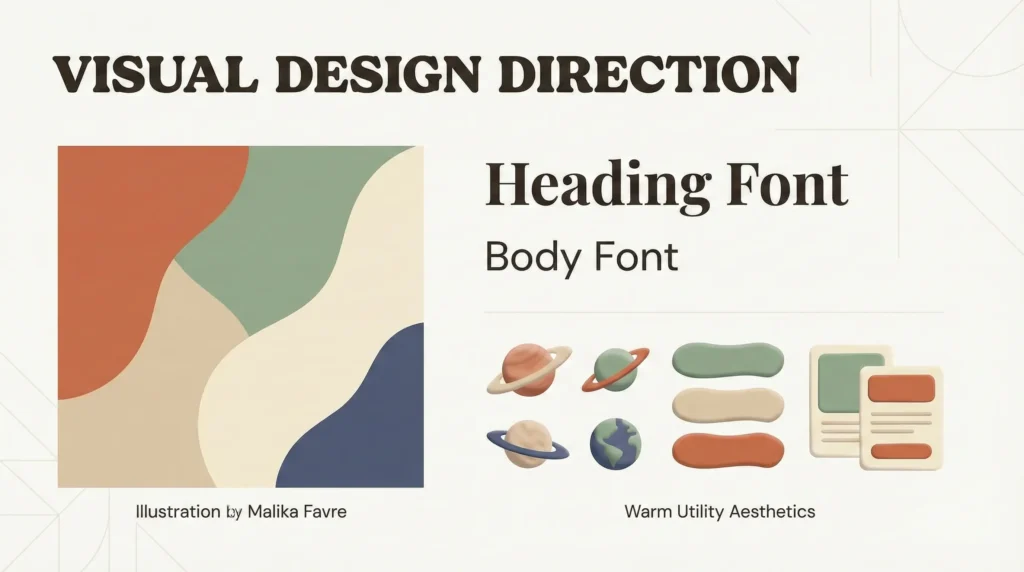
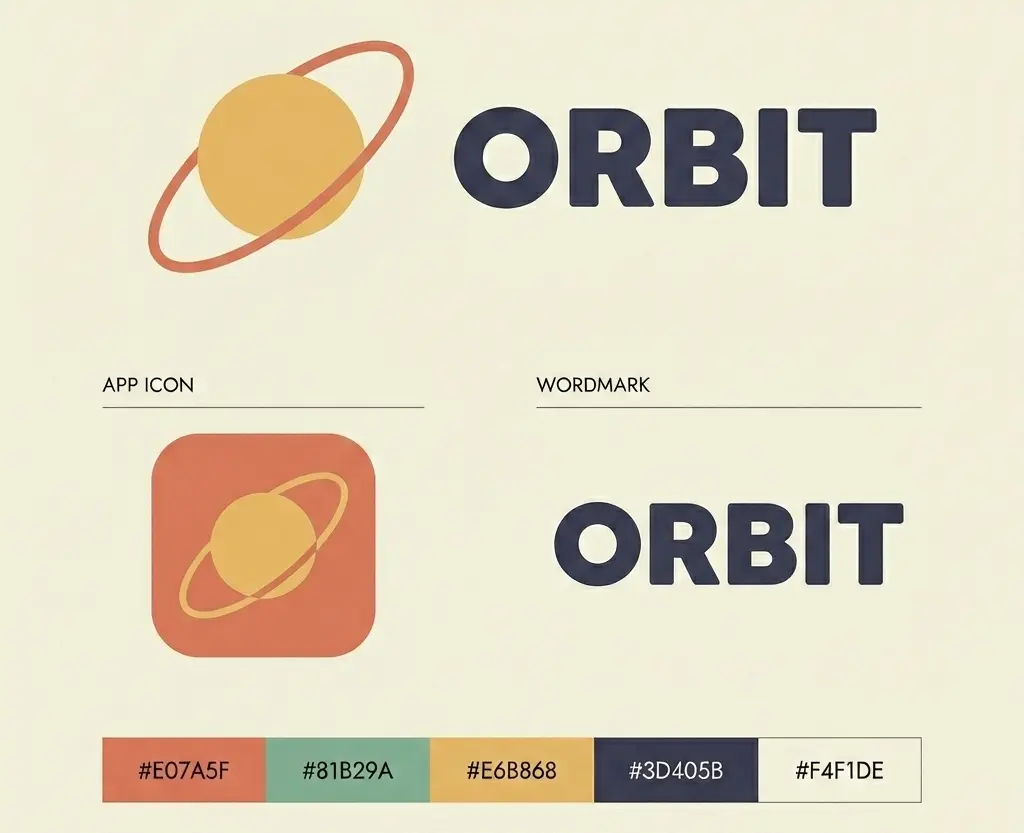
- Aesthetic: ‘Warm Utility.’
- Style: Modern Minimalist Editorial but with soft, organic shapes. No sharp grids.
- Typography: Serif headings (human, editorial) paired with Sans-Serif data (clean, functional).
- Color Palette: Earth tones (Terracotta, Sage, Sand) to evoke grounding and calm, avoiding the ‘tech blue’ of standard SaaS apps.
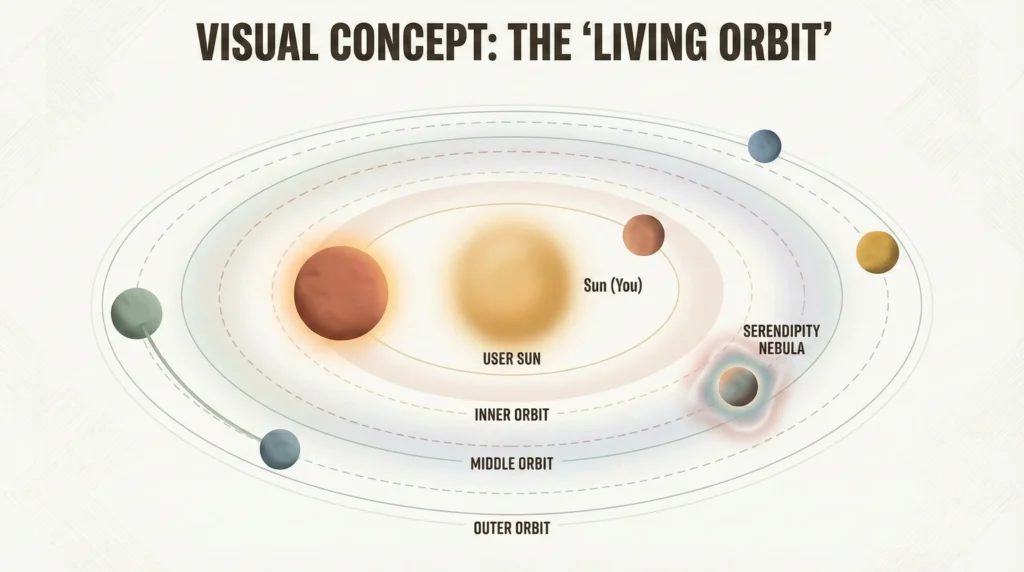
Visual Concept: The ‘Living Orbit’
The Core Metaphor: Relationships are not static list items; they are bodies in motion. They require energy (gravity) to stay close. If you stop putting in energy, they naturally drift away. This isn’t a failure; it’s physics.
1. The Anatomy of the System
- The Sun (You):
- Visual: A soft, glowing diffused circle in the center. It is not an avatar, but a source of light.
- Function: It anchors the screen. The ‘Health’ of your social life is reflected in its brightness. If you are isolated, the sun dims.
- The Orbital Rings (The Tiers):
- Visual: Faint, dashed lines or subtle concentric gradients. They are not hard borders, but ‘zones of influence.’
- Zone 1 (Inner Orbit): High frequency (Partner, Best Friends).
- Zone 2 (Middle Orbit): Regulars (Good Friends).
- Zone 3 (Outer Orbit): Occasional (Extended Network).
- The Planets (The Friends):
- Visual: Instead of standard circular avatars, use ‘Soft Clay’ shapes (referencing your interest in cute/professional claymation aesthetics). They look tactile and squeezable, not like cold data points.
- Size: The size of the planet indicates the ‘Weight’ of the relationship (History + Closeness), not just recent activity. A childhood friend is a ‘Heavy Planet’, even if they drift out, they are large and visible.
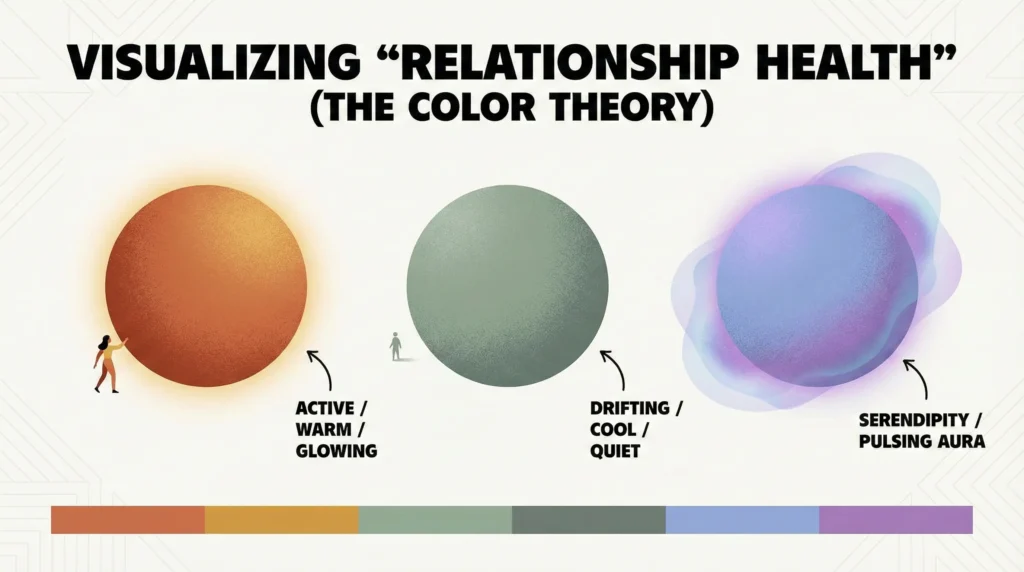
2. Visualizing ‘Relationship Health’ (The Color Theory)
Standard CRMs use Green/Red (Success/Failure). Orbit uses Temperature.
- Warm (Active):
- Terracotta / Burnt Orange / Gold.
- Indicates a relationship is ‘warm’ and active. The planet glows slightly.
- Cool (Drifting):
- Sage Green / Slate Blue / Dusty Grey.
- Indicates the relationship is cooling off. It doesn’t look ‘scary’ (like a red warning), just quiet.
- The ‘Nebula’ (Serendipity):
- When the ‘Serendipity Engine’ detects an opening (e.g., you are both in the same city), a soft, pulsing aura appears around that planet, signaling a ‘Gravity Assist’ opportunity to pull them back in easily.
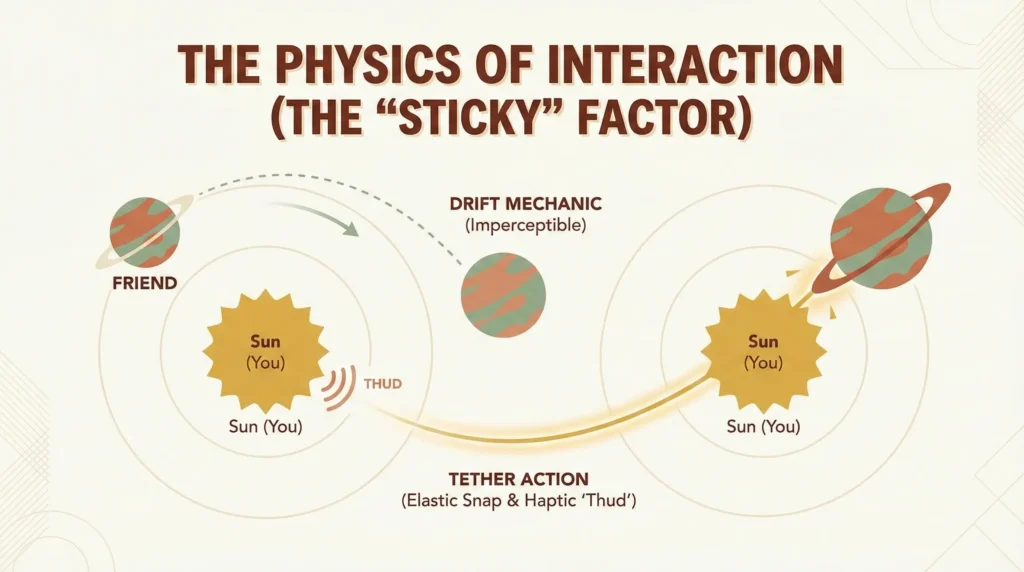
3. The Physics of Interaction (The ‘Sticky’ Factor)
This is where you show System Thinking and Interaction Design.
- The ‘Drift’ Mechanic:
- Over time (weeks/months), planets imperceptibly drift away from the center. You don’t notice it day-to-day, but over a month, a ‘Zone 1’ friend might drift into the border of ‘Zone 2.’
- UX Goal: Visualizing ‘Social Atrophy’ without text.
- The ‘Tether’ Action:
- When you log an interaction (call/text), you trigger a ‘Gravity Pull.‘
- Animation: The planet snaps elastically back toward the Sun.
- Haptics: A heavy, satisfying ‘Thud’ vibration when the planet settles into its new, closer orbit. This gamifies the act of calling a friend, it feels like ‘cleaning up’ your universe.
8. Ethical Design & Privacy Framework
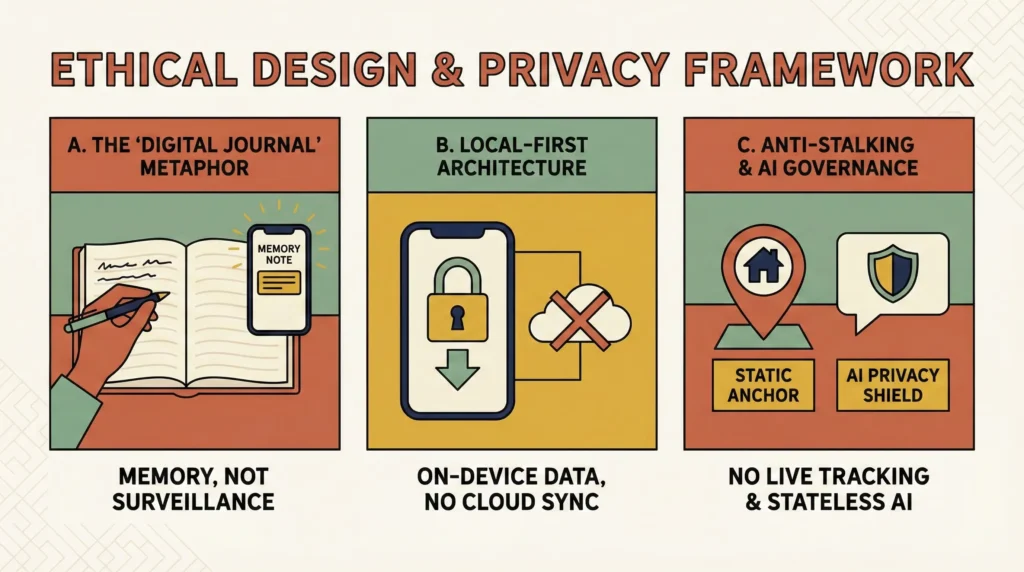
The ‘Creepiness’ Constraint: Building a CRM for friends walks a fine line between ‘thoughtful’ and ‘sociopathic.’ If users feel like they are building dossiers on their loved ones, they will abandon the app in disgust.
The Strategy: Orbit operates on the principle of ‘Unilateral Privacy‘, the data benefits the user without exploiting the subject.
A. The ‘Digital Journal’ Metaphor (Reframing Data)
- The Challenge: Storing data points like ‘Sarah’s favorite flower’ or ‘Mark’s anxiety trigger’ feels clinical in a database.
- The Solution: I reframed the UI/UX from ‘Data Collection’ to ‘Memory Augmentation.’
- Instead of: ‘Edit Profile > Add Attribute.’
- It is: ‘Add Memory Note.’
- The Shift: The app is explicitly positioned as a private journal of your relationships, not a surveillance tool. It is an extension of the user’s memory, ensuring that care and attention to detail aren’t lost to forgetfulness.
B. Local-First Architecture (Trust by default)
- Technical Decision: As a solo developer/designer, I chose a ‘Local-First’ architecture.
- The Promise: ‘What happens on Orbit, stays on Orbit.’
- No cloud sync (in MVP).
- No data is sent to external servers.
- All ‘Relationship Scores’ are calculated on-device.
- Why this matters: Users are far more comfortable inputting sensitive details (e.g., “My sister is going through a divorce, check in on her”) knowing the database lives physically on their phone, not in an unknown cloud bucket.
C. The ‘Anti-Stalking’ Guardrails (Location Ethics)
- The Feature: The ‘Serendipity Engine’ suggests meetups based on location.
- The Risk: Real-time tracking of friends is invasive and requires dual-consent (which creates friction).
- The Ethical Solution:Static vs. Dynamic Location.
- Orbit never tracks the live location of friends.
- Orbit only tracks the user’s live location relative to the friend’s ‘Static Anchor‘ (e.g., their home city or office neighborhood, which is manually input by the user).
- Logic: ‘You are in Brooklyn’ (User Location) + ‘Mike lives in Brooklyn’ (Static Data) = ‘Nudge Opportunity.’
D. AI Governance (The ‘Vibe Coding’ Constraint)
- The Fear: Users do not want their private text messages fed into a public LLM (Large Language Model) to train an AI.
- The Policy:
- Orbit uses ‘Stateless Inference.‘ When generating draft texts, the prompt is sent to the LLM and immediately discarded. It is not stored for training.
- Visual Assurance: Whenever AI is active, a distinct ‘Privacy Shield’ icon appears, informing the user that this specific interaction is ephemeral.
9. ‘Fail States’ & Anti-Patterns
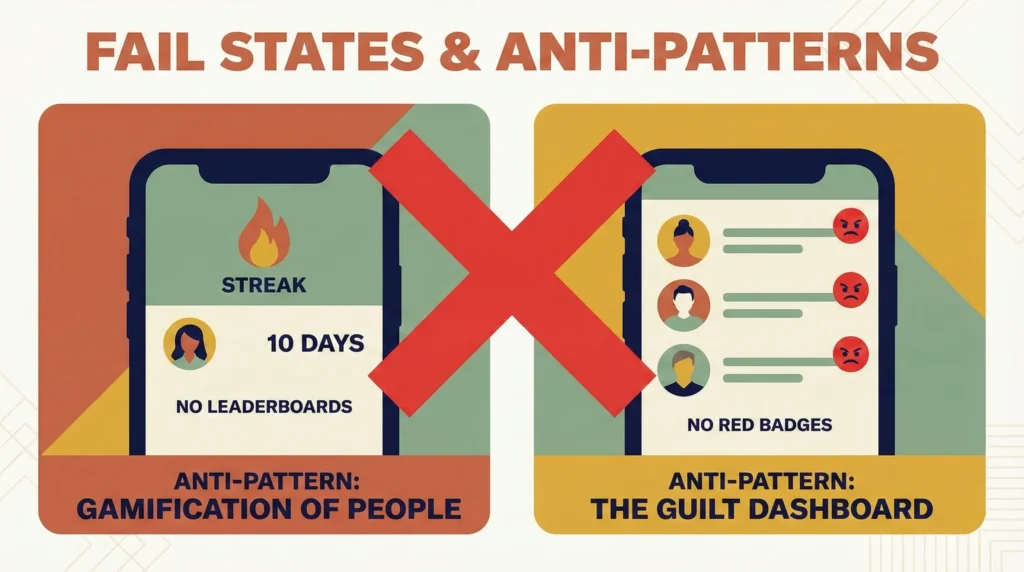
I explicitly designed against certain behaviors to protect the user’s mental health.
- Anti-Pattern: ‘Gamification of People.’
- Decision: No ‘Streaks.’ (e.g., “You’ve called Mom 10 days in a row!”). Streaks create anxiety and make relationships feel like a Duolingo lesson.
- Alternative: ‘Warmth Indicators.’ Just a soft glow. No numbers, no scores, no leaderboards.
- Anti-Pattern: ‘The Guilt Dashboard.’
- Decision: No Red Badges. A relationship that hasn’t been touched in 3 months doesn’t turn red; it simply drifts to the ‘Outer Orbit’ (visually smaller).
- Psychology: You cannot ‘fail’ at Orbit. You can only drift.
10. Outcome & Learnings (The ‘Work in Progress’ Conclusion)
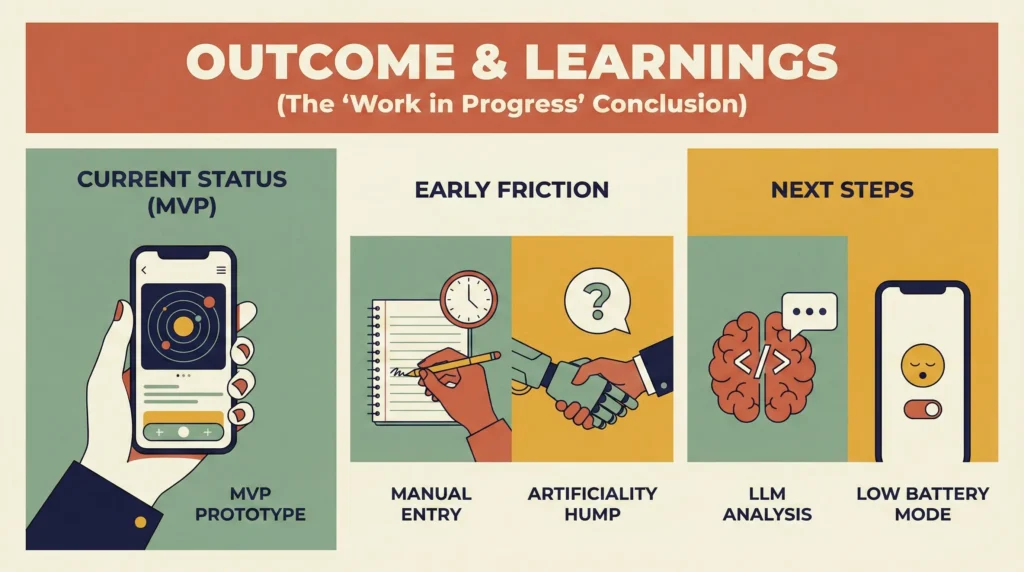
Current Status (MVP)
The app is currently functioning as a ‘Vibe Coding’ prototype. I am personally using it to manage my top 15 relationships.
Early Friction (To Be Solved)
- Manual Entry: Logging interactions manually is tedious. I am exploring iOS Shortcuts automation to auto-log calls with specific contacts.
- The ‘Artificiality’ Hump: It takes about 2 weeks for the user to get over the feeling that ‘scheduling love is wrong.’ Once they see the result (actually seeing their friends), the hesitation vanishes.
Next Steps
- Integrating LLM analysis of text history to determine ‘Relationship Sentiment’ (privacy-first, on-device only).
- Refining the ‘Low Battery’ social mode for introverts.
11. Retrospective & Future Roadmap
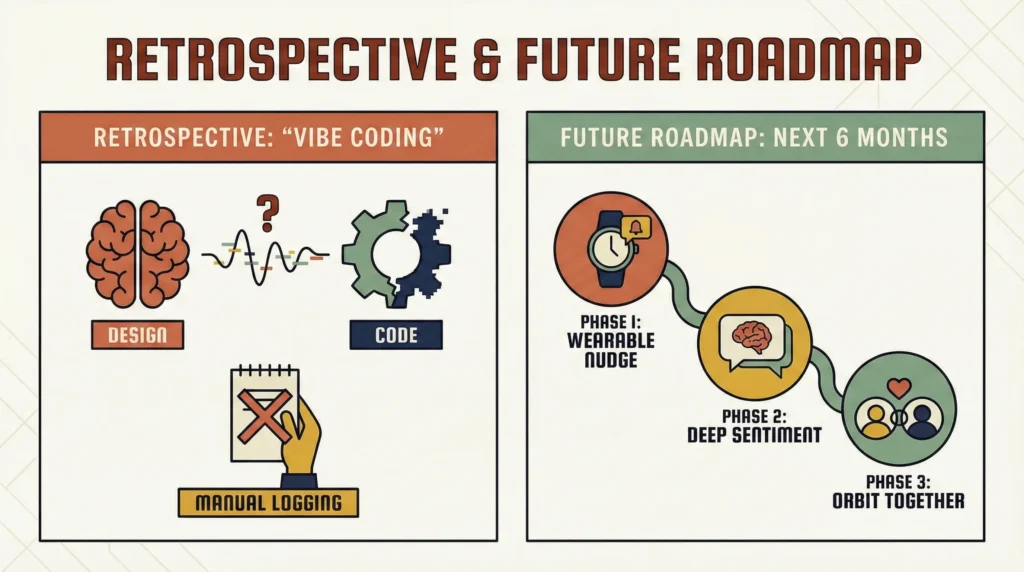
The ‘Vibe Coding’ Retrospective: Designing with Code
Building ‘Orbit’ myself using AI-assisted coding (Vibe Coding) fundamentally changed my design process. It wasn’t just about handing off pixels to a developer; it was about negotiating with the logic.
- Lesson 1: The ‘Fantasy vs. Physics’ Reality Check.
- The Design: Initially, I designed a complex ‘drag-and-drop’ interface for moving friends between orbits.
- The Build: Implementing the gesture physics on mobile proved buggy and frustrating.
- The Pivot: I simplified it to a ‘Tap to Promote/Demote’ interaction. It turned out to be faster and more accessible for the user, teaching me that standard patterns often beat novel interactions.
- Lesson 2: Data Latency as a UX Feature.
- Calculating ‘Relationship Health’ based on multiple variables took a split second longer than expected. Instead of a generic spinner, I designed a ‘breathing’ animation for the central Sun. This turned a technical lag into a moment of ‘mindfulness,’ reinforcing the app’s calm aesthetic.
What Didn’t Work (The ‘Dogfooding’ Report)
After 3 weeks of personal use:
- Manual Logging is the Enemy: I found myself forgetting to log phone calls. If the app relies on manual input, it fails.
- Fix: I am currently building an iOS Shortcut that automatically triggers an ‘Orbit Log’ whenever I end a call with a specific contact list.
- The ‘Guilt’ Residue: Even without red badges, seeing a friend in the ‘Outer Orbit’ still stung slightly. I am tweaking the algorithm to be more forgiving of ‘life phases’ (e.g., if I mark myself as ‘Busy at Work,’ the decay rate of all relationships slows down).
The Product Roadmap (Next 6 Months)
Phase 1: The ‘Wearable Nudge’ (WatchOS)
- Concept: Socializing often happens when we are away from our phones.
- Feature: A standalone Watch app.
- Use Case: You are walking the dog. Your watch taps you: “Mark lives 2 blocks away. You haven’t seen him in 3 months.” You tap ‘Call’ directly from the wrist. High context, low friction.
Phase 2: ‘Deep Sentiment’ (LLM Integration)
- Concept: Moving beyond ‘frequency’ of contact to ‘quality’ of contact.
- Feature: User can paste a recent text thread into Orbit. The local LLM analyzes the sentiment.
- Insight: “You guys talk often, but the sentiment is mostly logistical (planning). Try asking a ‘deep’ question next time.”
Phase 3: ‘Orbit Together’ (Multiplayer Mode)
- Concept: Solving the ‘Planner’s Burden’ (where one person does all the work).
- Feature: Shared Orbits for couples.
- Use Case: ‘We’ need to see Mark and Sarah. My partner can see the health of our ‘Couple Friends’ and act on it, distributing the social load.
Conclusion
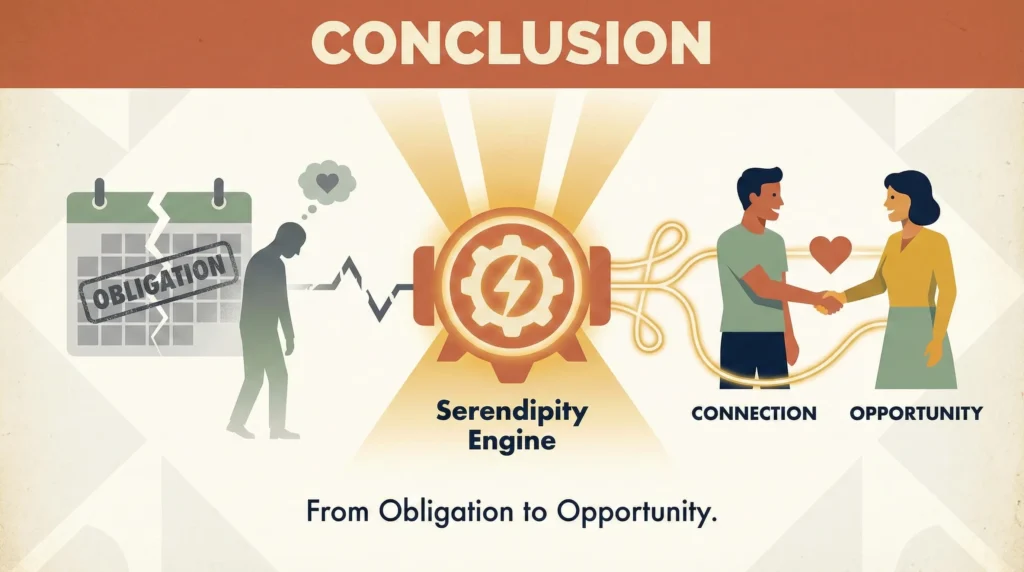
Orbit started as a tool to organize my schedule, but it evolved into a tool to organize my values.
By pivoting from a ‘Calendar’ (obligation) to a ‘Serendipity Engine’ (opportunity), I created a system that respects the user’s energy while fighting the drift of modern loneliness. It demonstrates that in an age of hyper-connection, the most valuable UX is one that helps us disconnect from the feed and reconnect with the human.
Visual Assets
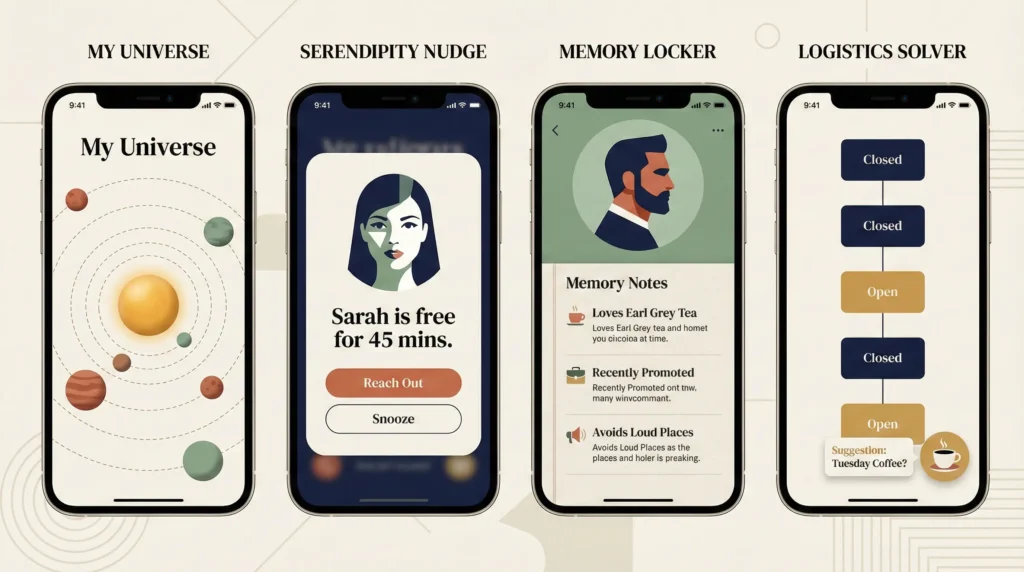

UI Explorations
Coming soon